
Ink on paper. Life in the background.

Street Character Collage AI

Redraw yourself as an ink character with a white paper edge while the street keeps its photographic color and texture. Upload your own street photo or start with a scene prompt.

Choose a prompt

Create your street character collage

Reference

One clear street photo is a good starting point

Check the current credit reservation before rendering

The examples are 2:3 portraits. Set 2:3 in the image settings if your model supports it; applying a prompt keeps your current model and settings. Use a model that accepts reference images to edit your own photo.

Explore examples and prompts
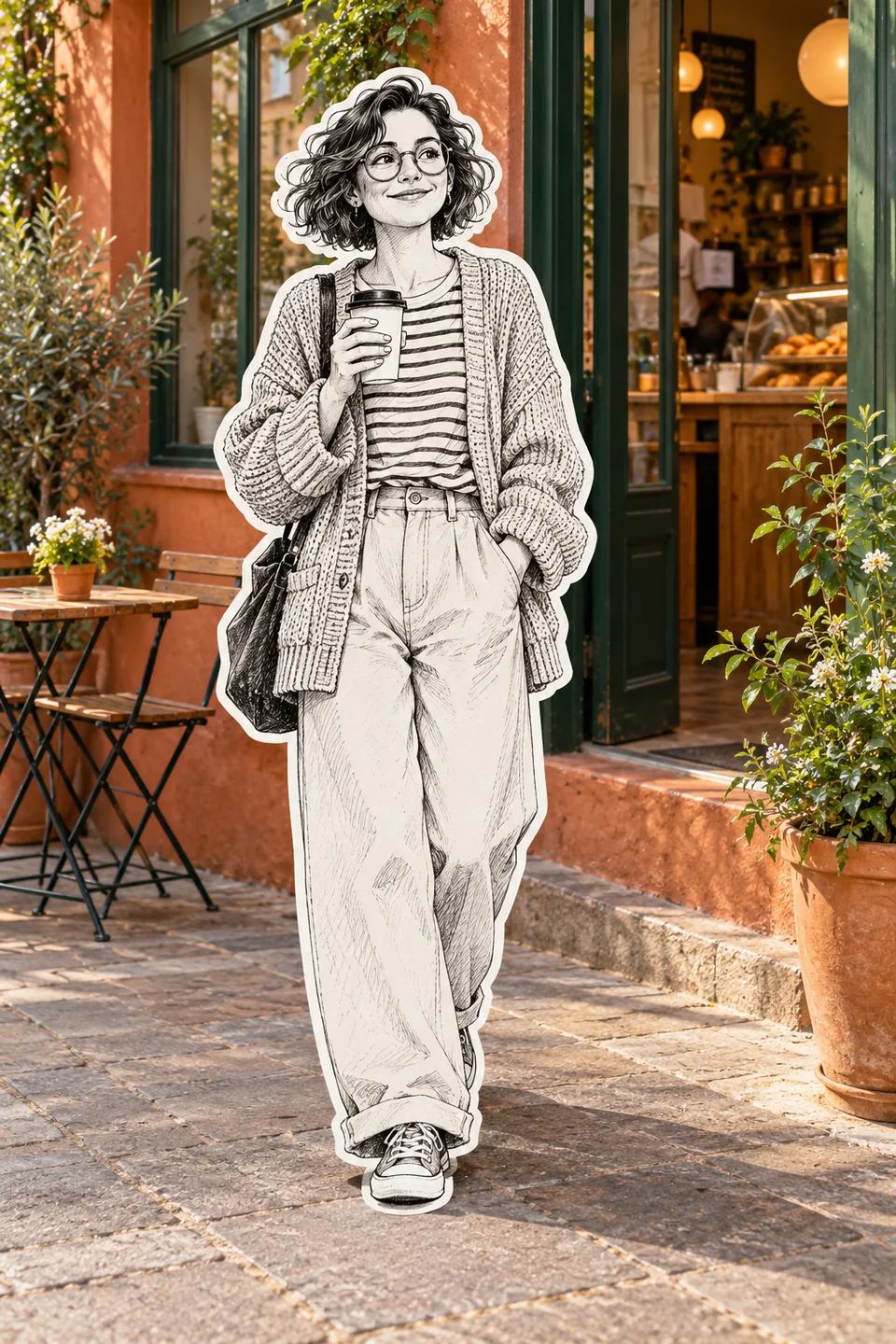
An ink-drawn woman with glasses and a white sticker border outside a photographic terracotta café
Café portrait

Street Character Collage AI examples and prompts

Try a café portrait, an outfit shot, a two-person collage or an evening street. Each prompt defines the ink drawing, white border and photographic background separately. Change the details to fit your photo.

Original AI-generated style illustrations. They show the intended look, not guaranteed output from a particular model. Your photo, prompt and selected settings affect the result. Applying a prompt does not start a render.

An ink-drawn woman with glasses and a white sticker border outside a photographic terracotta café

Café portrait

A textured cardigan and a coffee cup become ink linework against warm café colors.

Read the prompt

Create a 2:3 street character collage. If a reference photo is attached, use it as the scene and identity reference; redraw only the foreground adult, preserving their face shape, hairstyle, outfit, accessories and pose. Keep other people and the street photographic, retaining the original colors, lighting, perspective and composition. Render the chosen subject as black ink on white paper with clear contours, fine crosshatching and a continuous thick white die-cut border. Keep natural hands, distinct silhouettes and a subtle foot contact shadow. If no photo is attached, create a woman with short wavy hair and round glasses, wearing a textured cardigan and holding coffee outside a warm terracotta cafe. No illustrated background, added text, logos or frame.
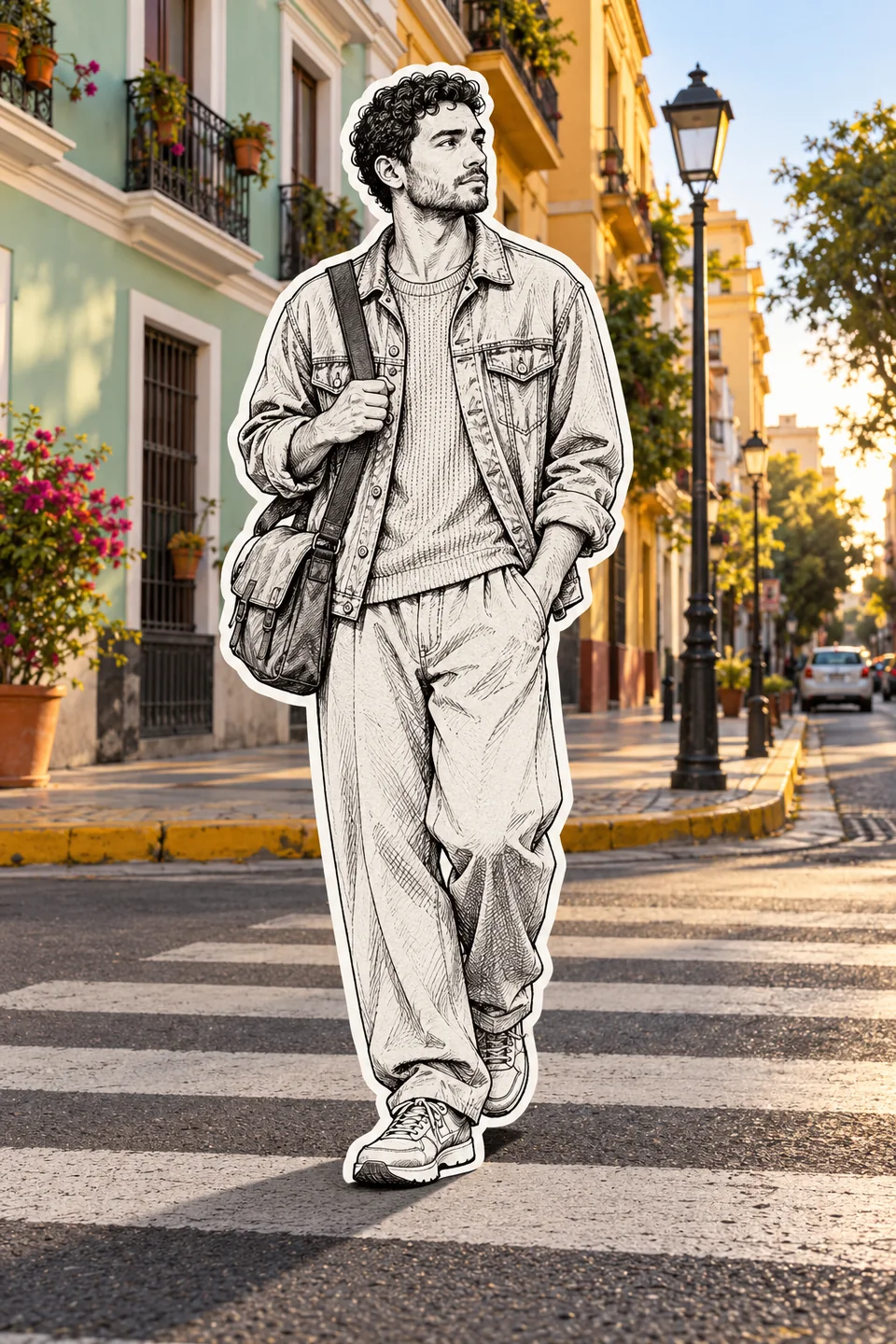
A black ink streetwear character with a white cutout border on a real colorful zebra crossing

Streetwear cutout

Denim seams, curls and a shoulder bag stand out against a colorful crossing.

Read the prompt

Create a 2:3 street character collage. If a reference photo is attached, use it as the scene and identity reference; redraw only the foreground adult, preserving their face shape, hairstyle, outfit, accessories and pose. Keep other people and the street photographic, retaining the original colors, lighting, perspective and composition. Render the chosen subject as black ink on white paper with clear contours, fine crosshatching and a continuous thick white die-cut border. Keep natural hands, distinct silhouettes and a subtle foot contact shadow. If no photo is attached, create a curly-haired man in a denim jacket, loose trousers and sneakers with a shoulder bag, on a sunlit zebra crossing with mint and ochre facades. No illustrated background, added text, logos or frame.
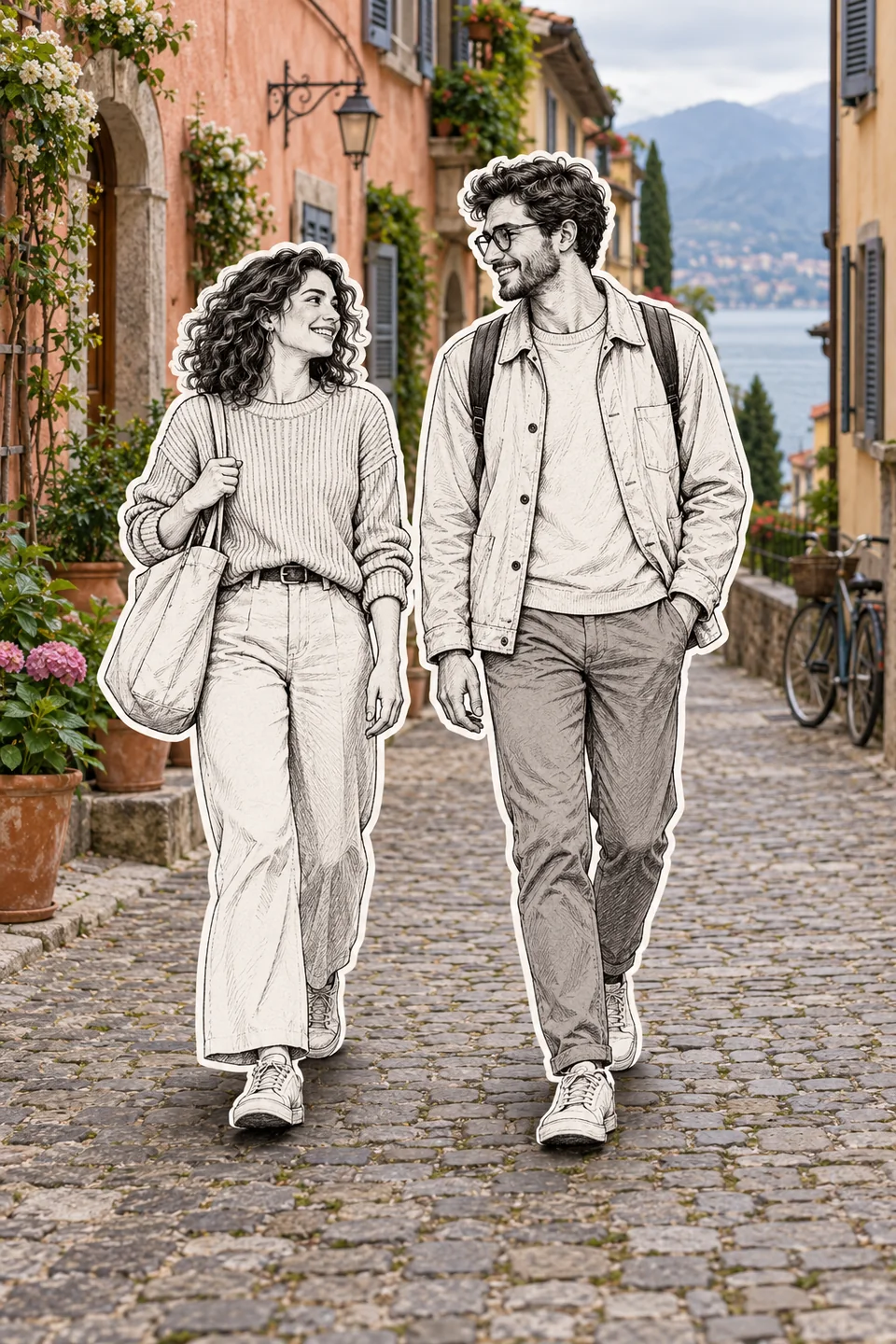
Two adult ink characters with separate white borders walking on a photographic cobblestone street

Two-person collage

Keep two faces and silhouettes distinct on a cobblestone lane.

Read the prompt

Create a 2:3 street character collage. If a reference photo is attached, use it as the scene and identity reference; redraw only the two foreground adults, preserving their face shape, hairstyle, outfit, accessories and pose. Keep other people and the street photographic, retaining the original colors, lighting, perspective and composition. Render the chosen subject as black ink on white paper with clear contours, fine crosshatching and a continuous thick white die-cut border. Keep natural hands, distinct silhouettes and a subtle foot contact shadow. If no photo is attached, create two adults walking side by side, a curly-haired woman in a ribbed sweater with a tote and a man with glasses and a casual jacket, on a colorful cobblestone lane. No illustrated background, added text, logos or frame.

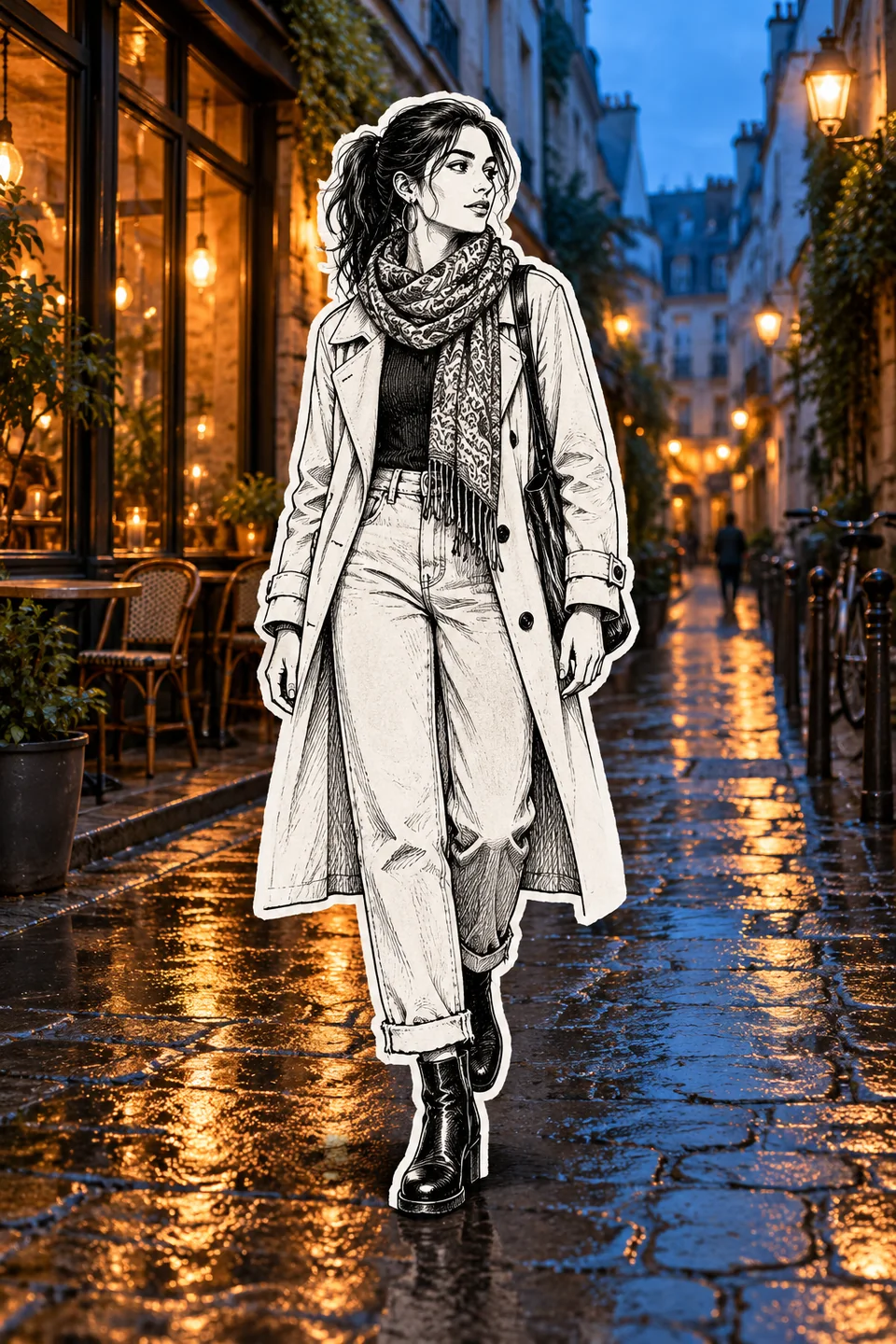
A monochrome ink woman with a white paper edge on a photographic blue-hour rainy street

After-rain city

A patterned scarf adds ink detail while wet paving keeps its evening reflections.

Read the prompt

Create a 2:3 street character collage. If a reference photo is attached, use it as the scene and identity reference; redraw only the foreground adult, preserving their face shape, hairstyle, outfit, accessories and pose. Keep other people and the street photographic, retaining the original colors, lighting, perspective and composition. Render the chosen subject as black ink on white paper with clear contours, fine crosshatching and a continuous thick white die-cut border. Keep natural hands, distinct silhouettes and a subtle foot contact shadow. If no photo is attached, create a woman with tied-back hair, hoop earrings, a patterned scarf, trench coat and ankle boots on a rain-wet street at blue hour with warm cafe window reflections. No illustrated background, added text, logos or frame.

How to make a Street Character Collage AI image

  1. Start with a clear street photo

    Choose a half-body or full-body photo with clear facial features and some space around the subject. Sign in to upload it, then choose an image model that accepts reference photos. Use photos you have permission to edit.

  2. Tell the model which person to draw

    Apply a prompt and identify the foreground person, or the two foreground adults. Ask for black ink on white paper, a white cutout border and a real photographic background. Set your preferred ratio and resolution in the generator.

  3. Review, render and inspect

    Review the full credit reservation and submit when ready. The existing image workspace handles the task and saves completed results. Before downloading, inspect the face, hands, border, shadows and any important background details.

An ink-drawn adult with a white cutout outline against a photographic rainy street

A hand drawn character, a real background

Name the subject precisely
Use “the foreground person in the reference photo” or describe their position and outfit. Ask to preserve their pose, face shape, hairstyle and accessories. Leave distant pedestrians photographic.
Protect the photographic layer
Ask to retain the street layout, colors, camera angle and lighting. If the whole street becomes a sketch, repeat “redraw only the subject; keep the background photographic.” AI edits can still alter small details, so compare important areas with the original.
Give the cutout a convincing edge
Specify a continuous white paper border, visible black ink contours and fine hatching. Keep the original perspective and a subtle contact shadow under the shoes so the character feels placed in the scene.
Check the result before sharing
Look closely at fingers, glasses, bag straps and the space between two people. Clothing text, signs and fine jewelry may change. Crop after checking the full image, and use an AI label where your publishing platform requires one.

Street Character Collage Image generator FAQ

Photo choice, prompts, background fidelity and generation credits.

What is Street Character Collage AI?

It is a mixed-media image style that combines a hand-drawn black-and-white person with a real photographic street. Ink contours, crosshatching and a white sticker border create the paper-collage look. The generator creates a still image.

Which reference photo works best?

Start with a sharp, evenly lit outdoor portrait. Half-body or full-body framing shows the outfit and gives the white border room. Avoid heavily blurred faces and tangled foreground objects. One photo containing both the person and the street is the simplest reference.

What should a Street Character Collage AI prompt include?

Identify exactly who to redraw, preserve their likeness and pose, describe black ink on white paper, request a continuous white cutout border, and keep everything else photographic. The editable examples on this page include these instructions. If no reference is attached, the model creates a new person and street.

Can I make a two-person street collage?

Yes, use the two-person prompt with a photo of two adults who agreed to the edit. Name both foreground subjects and ask for separate faces, hands and white borders. Keep any other people in the background photographic, and inspect overlapping arms or bags after generation.

Do I need to use a 2:3 aspect ratio?

The examples use 2:3 for a portrait layout. You can choose another ratio supported by your image model. Set it in the generator controls because a ratio written in the prompt does not replace your current image settings.

How many credits does a collage use?

The page uses the same credit system as the AI Image Generator. The full reservation depends on your model, settings and references and is shown before submission. Reserved credits and the final charge are different; final settlement follows verified task costs. A failed or interrupted task does not always mean an immediate full refund.

Will the real background stay exactly the same?

The prompts ask the model to preserve the street, lighting, colors and camera angle while redrawing only the chosen people. This is an editing instruction, not a pixel-perfect guarantee. Signs, paving, reflections and distant faces can change, so inspect areas that matter to you.

Is this a video effect or a still-image generator?

This Street Character Collage AI image generator creates still images through the existing image workspace. It does not add motion or audio. You can use the finished image as a reference in the separate AI Video Generator if you want to explore animation.

Keep creating with your images

Try other reference-image edits or check plans and credits before your next render.