
Photo to doodle · Real scene, drawn character

Doodle Portrait AI

Redraw yourself in colored pencil and keep the world around you photographic. Upload a photo, choose a prompt and create a portrait with loose lines, familiar clothes and a scene that still feels real.

Choose a prompt direction

Upload your photo and edit the prompt

Reference

Use one clear photo with a visible face and surroundings.

Sign in to generate. Check the current credit reservation before submitting.

Examples use 2:3. Set the aspect ratio in the image controls if your selected model supports it; choosing a prompt does not change model settings. Keep your original ratio to reduce cropping.

Explore prompts and examples
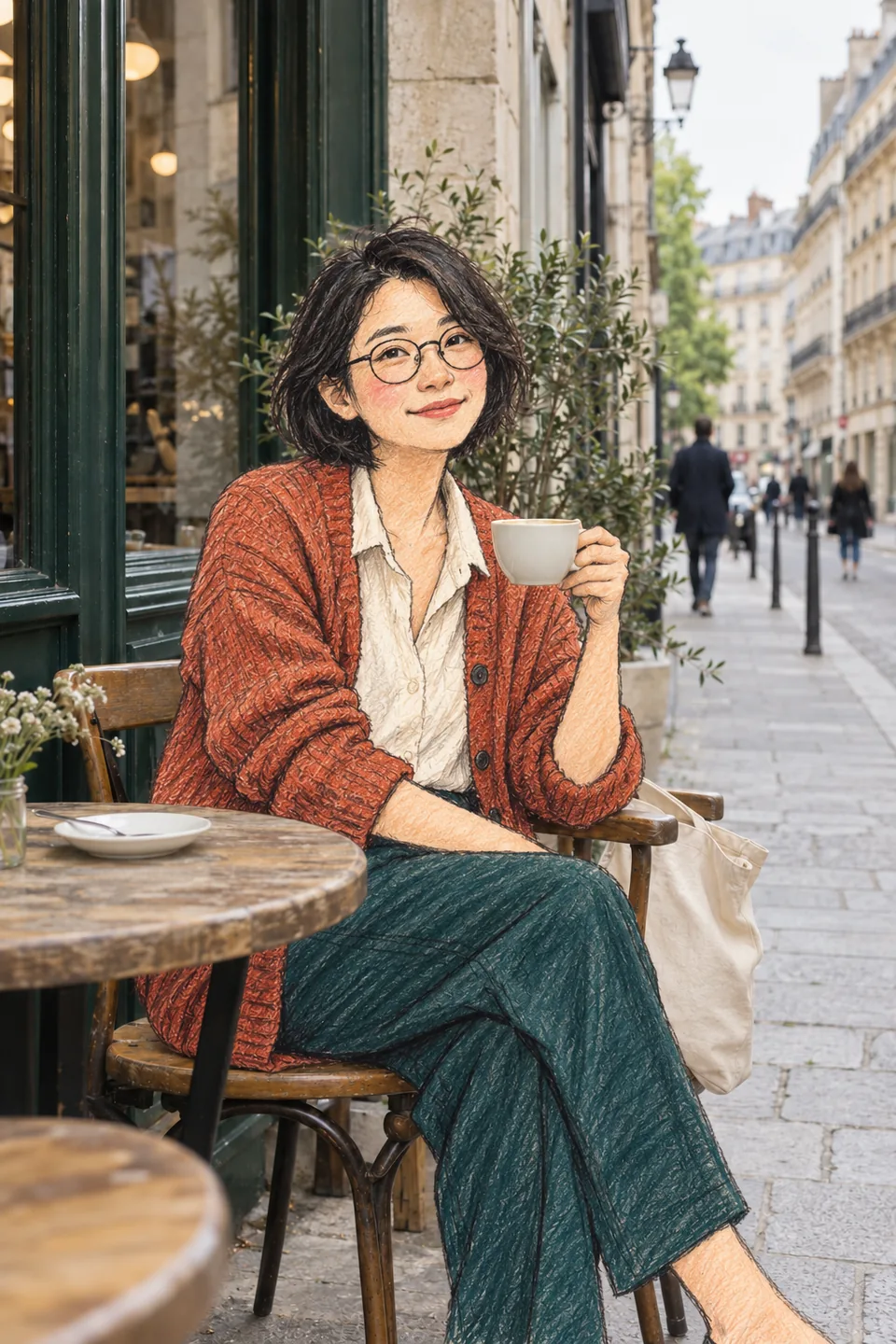
Woman drawn in colored pencil holding a real coffee cup against a photographic café and street

Café pencil portrait

Original AI-made demonstration. The source photo is fictional; the edited example illustrates the look. Your result depends on your photo, model and settings.

Photo to doodle prompts you can make your own

These three starting points use the same principle: draw one person and preserve the photographic scene. Choose the closest composition, then adapt the prompt to your own photo.

All gallery images are original AI illustrations, not recorded outputs from every model in the selector. Applying a prompt only fills the editor; it does not upload a photo, change settings or start a paid generation.

Woman drawn in colored pencil holding a real coffee cup against a photographic café and street

Café pencil portrait

Soft pencil hatching, your favorite cup and a café that stays convincingly photographic.

Read the prompt

Edit my uploaded photo into a mixed-media doodle portrait. Redraw only the main person with loose dark pencil contours, visible colored-pencil hatching, uneven color fills and lightly blushed cheeks. Preserve their recognizable face, hairstyle, glasses, clothing colors, seated pose and size in the frame. Keep the original café, street, table, chair, cup, plants and other people photographic wherever present. Keep real objects in front of the person in the same positions, with natural contact shadows. Do not add a café or cup if absent. Keep the original body direction and visible hand positions. No illustrated background, added people, text, watermark or sticker border. Compose for 2:3 only if that crop preserves the subject; otherwise retain the source framing.
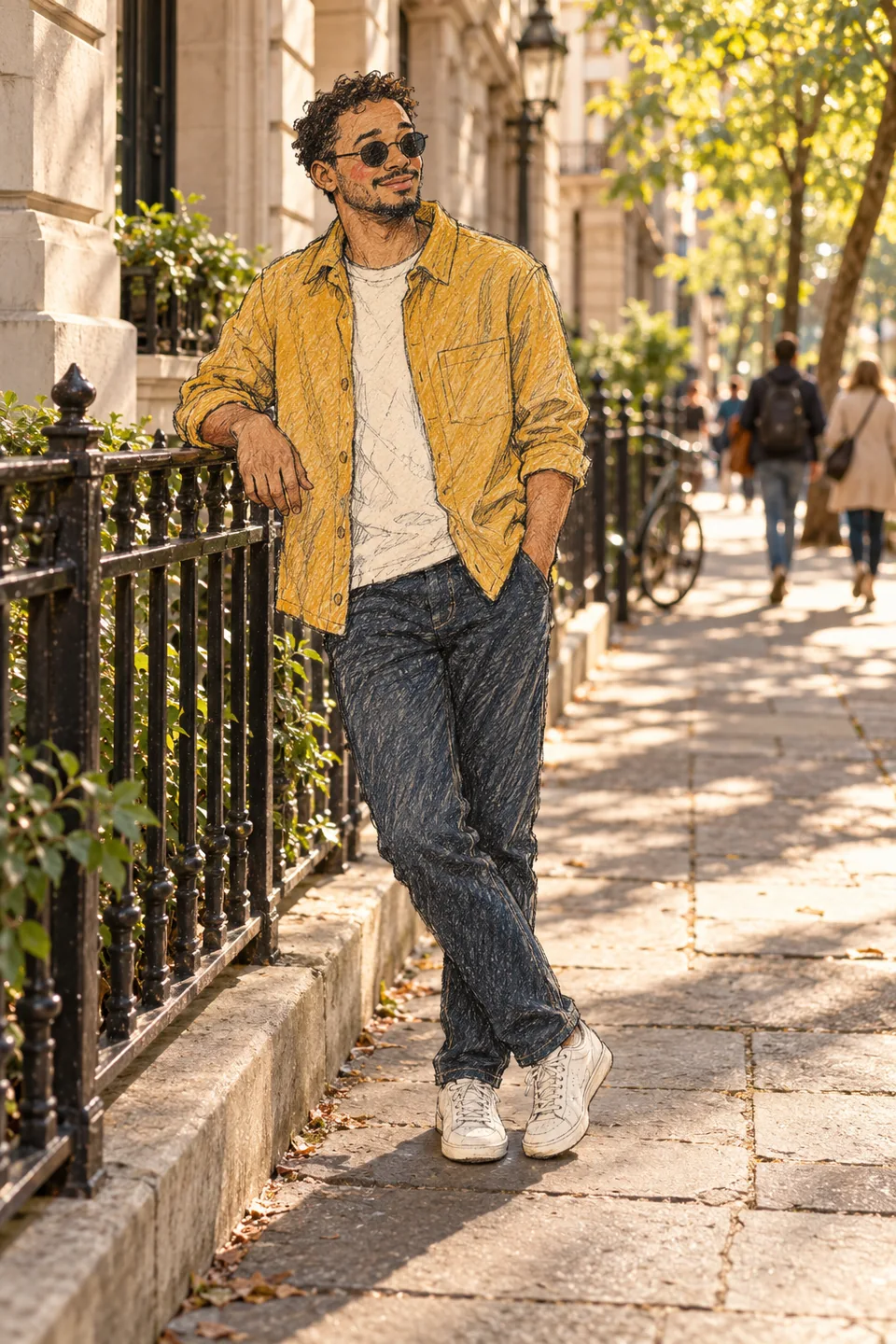
Colored-pencil man in a mustard shirt leaning on a photographic iron railing on a sunlit street

Street sketch character

A full-body doodle with real pavement, natural ground contact and the same everyday outfit.

Read the prompt

Use my uploaded photo as the source. Transform only the main person into a friendly colored-pencil doodle with imperfect ink outlines, loose hair strokes and textured color hatching. Keep their identity cues, adult proportions, original outfit, body direction, stance and relative size. Preserve the real street, buildings, railings, paving, plants and passers-by as photographs wherever present; do not invent a new location. Keep feet on the same ground with a subtle contact shadow and retain any railing overlap. Leave background people unchanged. No whole-scene cartoon filter, extra figures, symbols, text or border. A vertical 2:3 composition is preferred when it does not crop the subject.

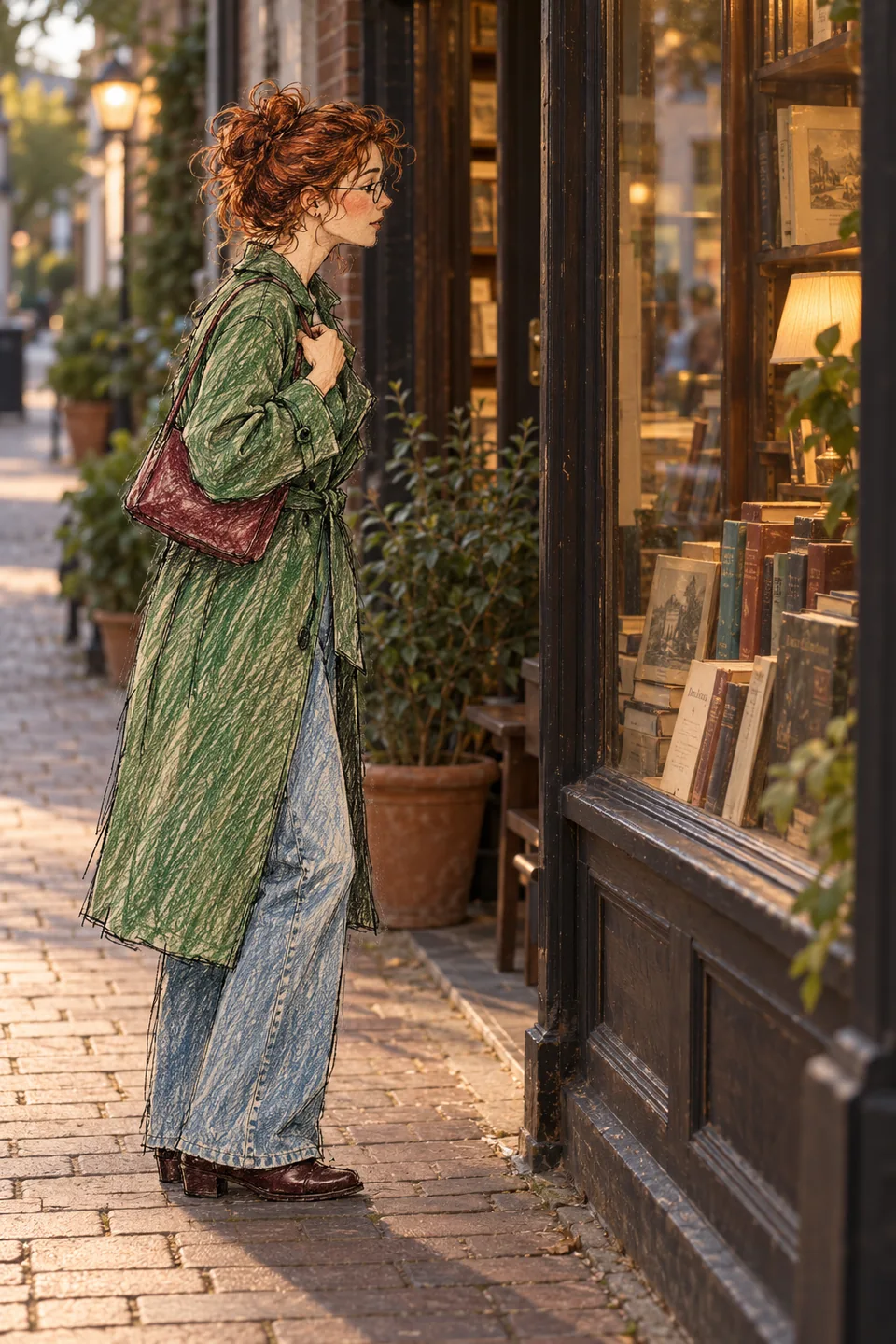
Side-profile colored-pencil woman in a green coat looking into a photographic bookshop window

Window-side doodle

A quiet side-profile sketch with real glass reflections, warm shop light and recognizable accessories.

Read the prompt

Create a pencil doodle portrait from my uploaded photo. Redraw only the main person using wobbly graphite outlines, colored-pencil scribbles and small white gaps between strokes. Keep their original face direction, hairstyle, glasses, jacket, bag, pose and position; a side-facing or back-facing person must stay that way. Preserve the real window, glass reflections, shelves, books, pavement and surrounding light wherever present. Do not add a shop if the source has none. Preserve foreground occlusion and realistic contact shadows so the character belongs in the photograph. Do not invent a frontal face, redraw the setting, add readable text, add people or use a sticker outline. Prefer 2:3 only when the original composition allows it.

How to use the doodle portrait generator

  1. Start with one clear photo

    Upload a well-lit photo with one obvious main subject. Include the hands, outfit and some surroundings. Choose an image model that supports reference images; use your own photo or one you have permission to edit.

  2. Tell the AI what stays real

    Apply a prompt, then adjust it to your photo. Name the person to redraw and ask to preserve the background, body direction and clothing. Check the selected model, supported size and aspect ratio in the controls.

  3. Review the quote, then generate

    Sign in and check the live credit reservation before submitting. Continue in the shared image workspace. Inspect the face, hands, background and edges when the result arrives, then download the image or request a targeted revision.

Side-facing pencil doodle portrait integrated into a realistic bookshop scene

Keep the photo real and the doodle recognizable

The whole scene turned into a cartoon
Repeat that only the main person should be drawn. Name the objects that must stay photographic, such as the table, window and distant people. Ask for one change at a time instead of stacking several drawing styles.
The character lost your likeness
Use a sharper source and keep the face large enough to read. Mention the hairstyle, glasses and outfit, and ask to retain the original expression. A stylized face can still vary; inspect details before sharing.
The drawing looks pasted on
Ask for the same scale, feet or chair contact, soft contact shadows and the original overlaps with real objects. Avoid a thick white outline around the person, which can make the result resemble a sticker.
More than one person was redrawn
Crop to one main subject or identify them unambiguously, for example the person in the green jacket. Say to leave the remaining people photographic. Busy group photos are harder to control than a single-person composition.

Doodle Portrait AI questions

Photo preparation, drawing styles and generation credits.

What is Doodle Portrait AI?

It is an AI doodle generator workflow for turning a person in a photo into a hand-drawn character. The prompts on this page aim for colored-pencil lines on the subject while keeping the setting photographic. You can edit the prompt and use the same image tools as the main generator.

Which photo works best for photo to doodle?

Use a clear, evenly lit image with one main person, a visible face and enough background to show the contrast. A half-body or full-body café, street or window portrait works well. Avoid tiny faces, heavy blur and overlapping people. Reference support and upload limits depend on the model you select.

Can I use the AI doodle generator without a photo?

Yes. Use a model that supports text-to-image and rewrite the prompt to describe a fictional person and scene. Without a reference photo, the generator creates a new character and cannot preserve your likeness or an existing location.

How is this different from photo to cartoon?

Photo to cartoon can mean illustrating an entire image. This page focuses on a narrower mixed-media look with a drawn person inside a realistic setting. If you want the whole image drawn, change the prompt explicitly; these presets ask to preserve the photographic background.

Will the background and face stay exactly the same?

No exact match is guaranteed. Image editing can change facial details, lettering, hands or parts of the setting even when a prompt asks to preserve them. Compare the result with your source and request a focused correction if needed.

How many credits does a doodle portrait cost?

There is no fixed one-credit price for this page. The shared generator shows a current reservation based on the selected model, settings, reference images and task budget. Credits are reserved before work starts and settled under the standard usage rules. An interrupted request can still have upstream costs. Check your available balance and the quote before submitting.

Do I need a 2:3 portrait image?

The examples are 2:3 portraits, but the tool uses your selected model’s supported aspect ratios. Set 2:3 in the controls if available, or keep a compatible source ratio to avoid unwanted cropping. Writing 2:3 in a prompt does not change the actual output setting. This page creates still images.

Can I edit someone else’s photo and share the result?

Use photos you own or have permission to edit, and get the depicted person’s consent where needed. Check the output and the applicable model terms before commercial use. Follow the destination platform’s rules for labeling AI-edited images. See the site’s terms and acceptable use policy for account requirements.

Keep creating in the image workspace

Use the same image models, reference uploads and credit system for your next idea.