
YOUR FACE. YOUR FILM.

AI Movie Poster Generator

Turn your photo or an idea into a cinematic movie poster. Choose a genre, shape the scene and give your film a title. Start with a prompt below, then make it your own.

Choose your film genre

Make your movie poster

Reference

A photo is optional. Sign in to upload your own.

Model settings and the credit quote are shown before you generate.

For a classic poster, select 2:3 in the aspect-ratio menu when your model supports it.

Explore poster prompts and the guide
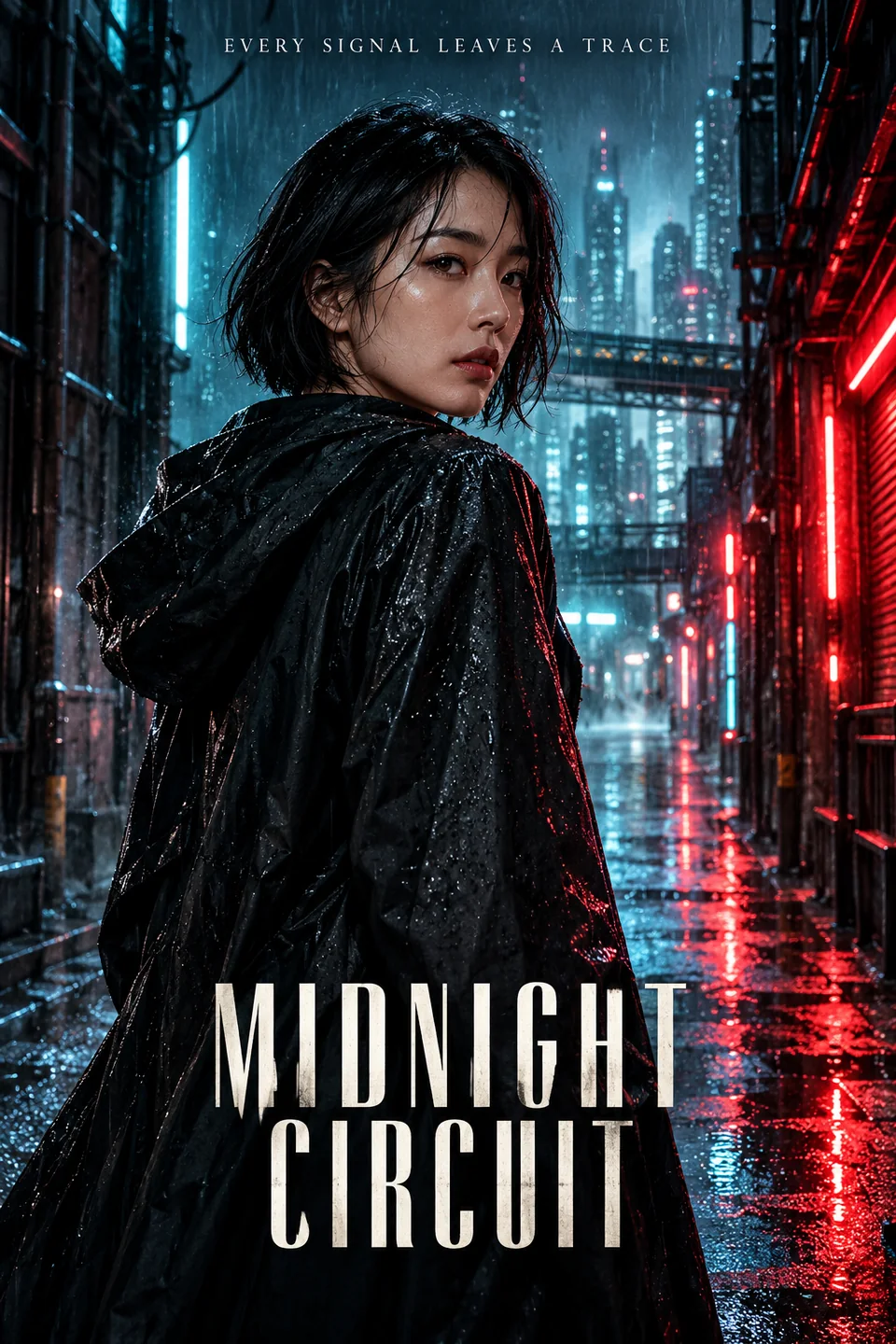
Original AI movie poster titled MIDNIGHT CIRCUIT, with a woman in a rain-soaked neon alley
Neon thriller

Four movie poster styles, ready to make yours

A movie poster needs a clear lead, a setting that suggests a story and space for the title. Use a prompt as a starting point, then change the character, location or film name in the editor.

Original AI artwork made for this guide. These are composition examples, not guaranteed outputs from the model you select. Prompts load as editable text and do not start generation.

Original AI movie poster titled MIDNIGHT CIRCUIT, with a woman in a rain-soaked neon alley

Neon thriller

A rain-lit alley, cyan reflections and a lead who has just noticed something.

Read the full prompt

Create one original vertical 2:3 movie poster. If a reference photo is attached, use its single adult subject as the lead and preserve facial structure, skin tone, age, hair and build; otherwise use a fictional adult East Asian woman with a short dark bob. Scene: a black raincoat in a rain-soaked city alley, cyan rim light, restrained red neon, wet reflections, looking back over one shoulder with the face fully visible. Style: photorealistic cinematic photography. One protagonist, clear face, coherent cinematic lighting and uncluttered composition. Put the exact title "MIDNIGHT CIRCUIT" in large readable letters below the face and the short tagline "EVERY SIGNAL LEAVES A TRACE" at the top. Keep all lettering away from the eyes and face. No extra people, real film logos, studio marks, celebrity likeness or watermarks. If precise text cannot be rendered, leave the title area blank for later editing. Use the selected model settings for the actual output ratio and resolution.
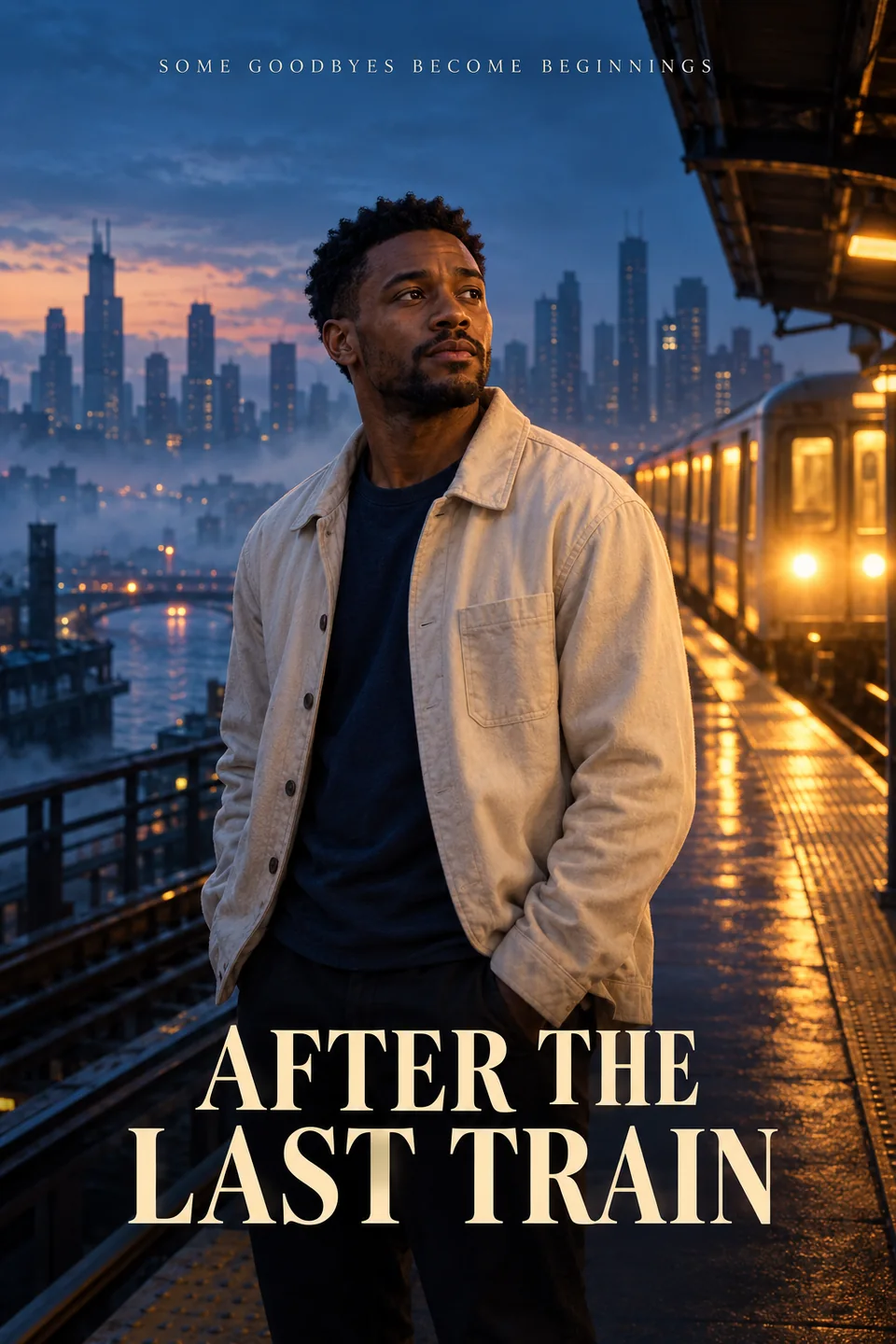
Original AI movie poster titled AFTER THE LAST TRAIN, with a man on a blue-hour train platform

City drama

Blue-hour silence, a warm train window and a story waiting to begin.

Read the full prompt

Create one original vertical 2:3 movie poster. If a reference photo is attached, use its single adult subject as the lead and preserve facial structure, skin tone, age, hair and build; otherwise use a fictional adult Black man with short textured hair. Scene: a quiet elevated train platform at blue hour, a cream overshirt over a navy T-shirt, warm amber train-window light against a misty blue skyline, a thoughtful expression; keep the reference outfit if a photo is supplied. Style: restrained photorealistic independent-film key art with subtle grain. One protagonist, clear face, coherent cinematic lighting and uncluttered composition. Put the exact title "AFTER THE LAST TRAIN" in large readable letters below the face and the short tagline "SOME GOODBYES BECOME BEGINNINGS" at the top. Keep all lettering away from the eyes and face. No extra people, real film logos, studio marks, celebrity likeness or watermarks. If precise text cannot be rendered, leave the title area blank for later editing. Use the selected model settings for the actual output ratio and resolution.
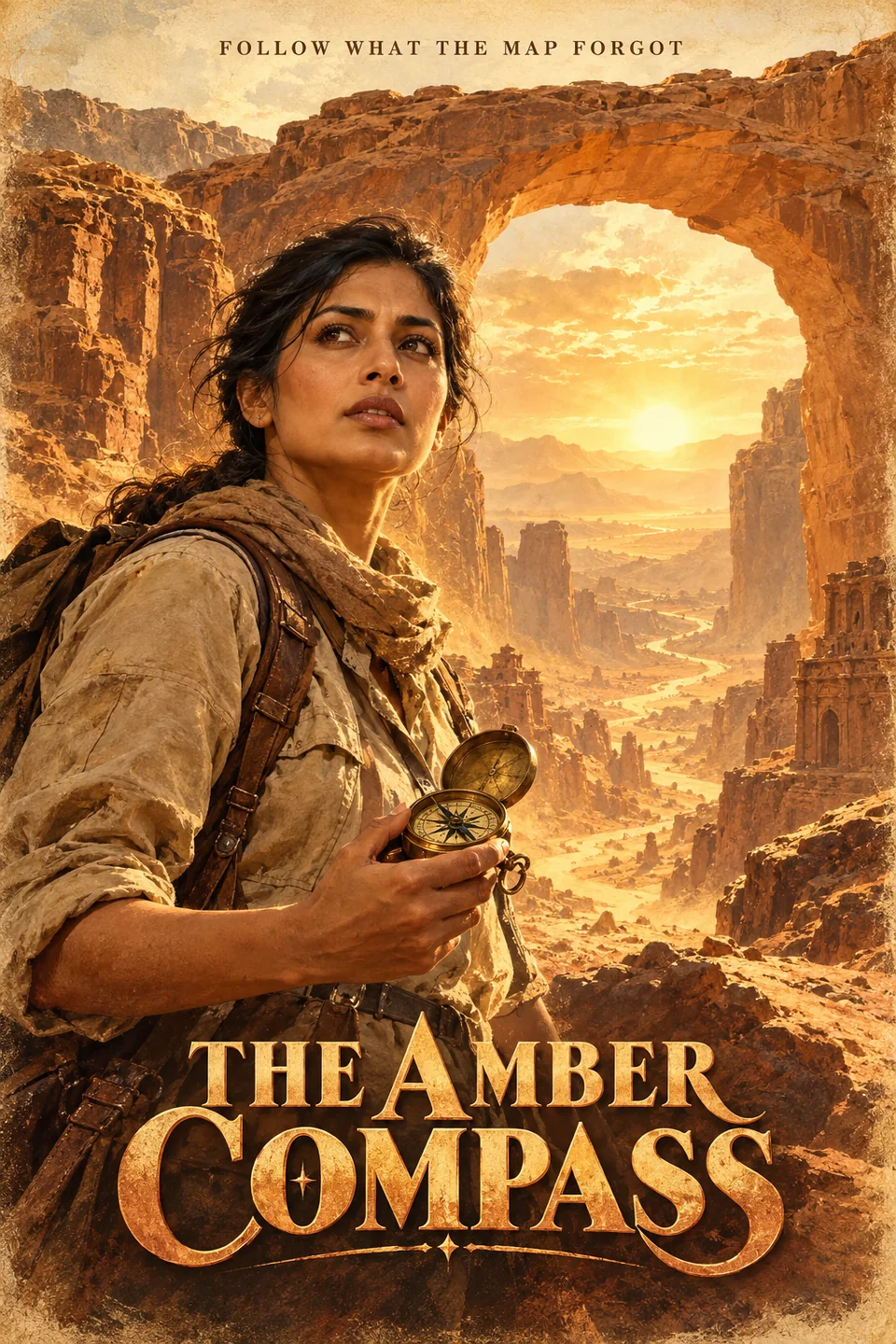
Original AI movie poster titled THE AMBER COMPASS, with an explorer in a sandstone canyon

Vintage adventure

An amber canyon, a brass compass and the promise of a long-lost route.

Read the full prompt

Create one original vertical 2:3 movie poster. If a reference photo is attached, use its single adult subject as the lead and preserve facial structure, skin tone, age, hair and build; otherwise use a fictional adult South Asian woman with tied-back dark hair. Scene: a sunlit sandstone canyon with an immense rock arch, a sand-colored field jacket and an old brass compass, warm amber dust and a distant winding path. Style: vintage painted adventure key art with realistic portraiture and softly weathered paper grain. One protagonist, clear face, coherent cinematic lighting and uncluttered composition. Put the exact title "THE AMBER COMPASS" in large readable letters below the face and the short tagline "FOLLOW WHAT THE MAP FORGOT" at the top. Keep all lettering away from the eyes and face. No extra people, real film logos, studio marks, celebrity likeness or watermarks. If precise text cannot be rendered, leave the title area blank for later editing. Use the selected model settings for the actual output ratio and resolution.

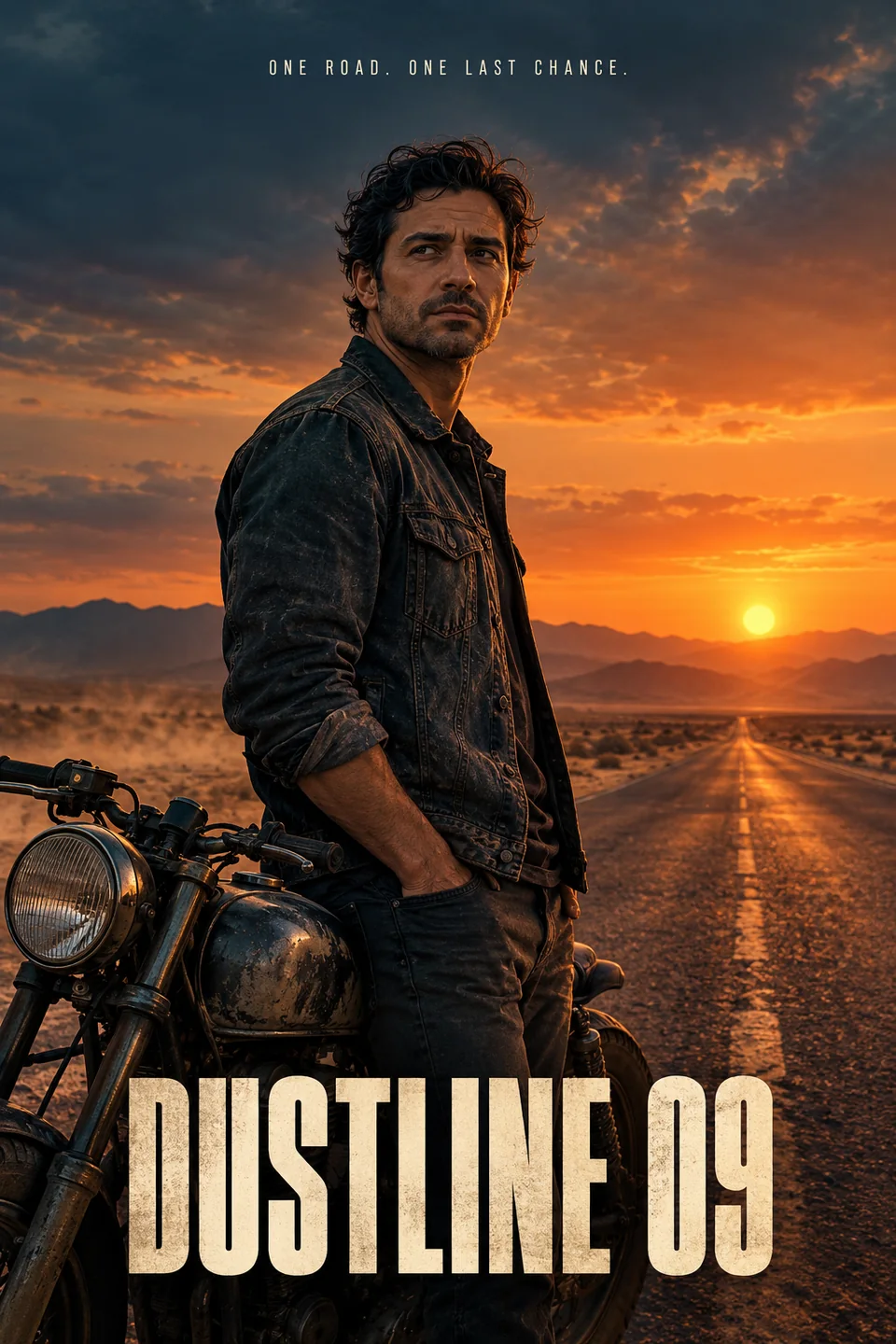
Original AI movie poster titled DUSTLINE 09, with a lone man beside a motorcycle on a desert road

Lone rebel

A desert road, the last light of day and one person ready to leave.

Read the full prompt

Create one original vertical 2:3 movie poster. If a reference photo is attached, use its single adult subject as the lead and preserve facial structure, skin tone, age, hair and build; otherwise use a fictional adult Mediterranean man with short wavy dark hair and light stubble. Scene: an empty desert highway at twilight, a faded dark denim jacket, a vintage motorcycle beside the lead, distant mountains, dusty wind, burnt-orange horizon and petrol-blue shadows; no weapons. Style: photorealistic road-thriller key art with restrained analog grain. One protagonist, clear face, coherent cinematic lighting and uncluttered composition. Put the exact title "DUSTLINE 09" in large readable letters below the face and the short tagline "ONE ROAD. ONE LAST CHANCE." at the top. Keep all lettering away from the eyes and face. No extra people, real film logos, studio marks, celebrity likeness or watermarks. If precise text cannot be rendered, leave the title area blank for later editing. Use the selected model settings for the actual output ratio and resolution.

How to make an AI movie poster from your photo

  1. Start with one clear photo

    Sign in and add a well-lit, front-facing portrait with one person. Keep the face unobstructed and use a photo you have permission to edit. Without a photo, describe a fictional lead instead.

  2. Choose the scene and title

    Apply a genre prompt and replace the sample title with a short film name. Ask to preserve facial features, skin tone, age and build. Select a model that supports reference images when using a photo; set 2:3 if available.

  3. Generate, check and refine

    Check the settings and credit quote, then generate in the image workspace. Inspect the face and spelling. Continue the conversation to adjust the image, or download it and add final typography in your own design editor.

Original vintage adventure poster showing an explorer with a compass in a sandstone canyon

Build a stronger movie poster prompt

Keep the person recognizable
Say which uploaded image defines the lead. Ask to keep facial structure, skin tone and age, and specify whether clothing may change. Heavy filters and multiple faces make the reference harder to follow; likeness is not guaranteed.
Give the genre a place and a light
Describe a rainy neon alley for a thriller, a quiet platform at dusk for drama, a sunlit canyon for adventure or an empty highway for a road story. One strong setting is easier to read than a collage of unrelated scenes.
Keep titles short and away from faces
Quote the exact title and say where it belongs. Ask for one short tagline at most. If letters remain incorrect, request a text-free version and add the title after downloading; fine-print credits are especially unreliable.
Match the final use
2:3 is a familiar portrait-poster layout; 9:16 can work for stories. Choose an available model ratio before generating. For print, check pixel dimensions and add bleed in your design tool; a cinematic look alone does not make a file print-ready.

AI Movie Poster Generator questions

Photos, prompts, poster lettering and generation credits.

What is an AI Movie Poster Generator?

An AI Movie Poster Generator creates film-style artwork from a text prompt or a reference photo. A movie poster combines a lead character, a story setting, cinematic lighting and a title. This page offers genre prompts in the same image workspace as the main AI Image Generator.

Can I turn my own photo into a movie poster?

Yes. Sign in, upload a clear portrait and select a model that accepts reference images. The prompts ask the model to use that person as the lead. Results can change facial details, so check likeness before sharing. Only upload photos you have permission to use.

Can the Movie Poster Generator use only text?

Yes. You can describe a fictional lead, a genre, a setting and a title without uploading a photo. Each example prompt includes a fictional-character option for this workflow. A reference image is useful when you want a specific person to be recognizable.

Can I add my own movie title or name?

Yes. Edit the prompt to specify the exact short title or name and its position. Generated lettering may contain mistakes. For precise typography, ask for a poster without text and add the wording in your design editor after downloading.

Which aspect ratio should I use for a movie poster?

Start with 2:3 for a classic vertical movie poster when the selected model supports it. Use 9:16 for a story or 1:1 for a square post if available. Ratio and resolution choices vary by model; the aspect-ratio menu controls the actual request, not the prompt alone.

How many credits does an AI movie poster cost?

The quote depends on the selected model and settings and is shown before generation. This page uses the existing image generation and credit system. Credits are reserved first and settled using verified costs under the site policy; a timeout does not prove the provider charged nothing. See Pricing for plans and top-ups.

Which AI model creates the poster?

You choose from the image models currently available in the generator. Their reference-image support, ratios and pricing differ. The artwork on this page was prepared as original visual guidance and does not promise an identical result from every selectable model.

Is the result a video, and can I use it commercially?

The result is a still image. You can edit it into a reveal video using your own tools. Before publishing or selling a poster, check rights to the photo, likeness, title and any added material, plus the applicable model and platform terms. Review the output; this page does not certify commercial rights.

Keep creating in the image workspace

Explore image creation, reference-photo editing and more visual ideas.